
Google Gemini 2.5 Flash Image Preview: Redefining AI Image Editing Through Nano Banana
Gemini 2.5 Flash Image, also called Nano Banana, is the newest AI image generation and image editing model from Google DeepMind. Benchmarked on the independent platform LMArena, it consistently outperforms earlier models like Gemini 2.0 Flash Image, Flux Kontext, and ChatGPT-4o Image in text-to-image accuracy, editing precision, and overall preference scores. This recognition positions Gemini 2.5 Flash Image as a state-of-the-art solution for both developers and creative professionals. The Google Gemini 2.5 Flash Image Preview introduces capabilities that go beyond traditional AI image editors. It supports multi-image fusion, advanced character consistency, and natural-language-driven prompt-based editing, making it ideal for storytelling, product catalogs, and brand asset creation. With lower latency and higher throughput, it ensures faster, sharper, and more consistent results than previous releases. By leveraging Google DeepMind’s world knowledge, Gemini 2.5 not only creates visually stunning outputs but also integrates real-world reasoning into images. This enables more accurate text-to-image generation, context-aware visualizations, and innovative editing possibilities. Whether you’re experimenting with surreal art, editing product photos, or building AI-powered design tools, Gemini 2.5 Flash Image unlocks the future of creative AI workflows.
Key Features of Gemini 2.5 Flash Image Preview
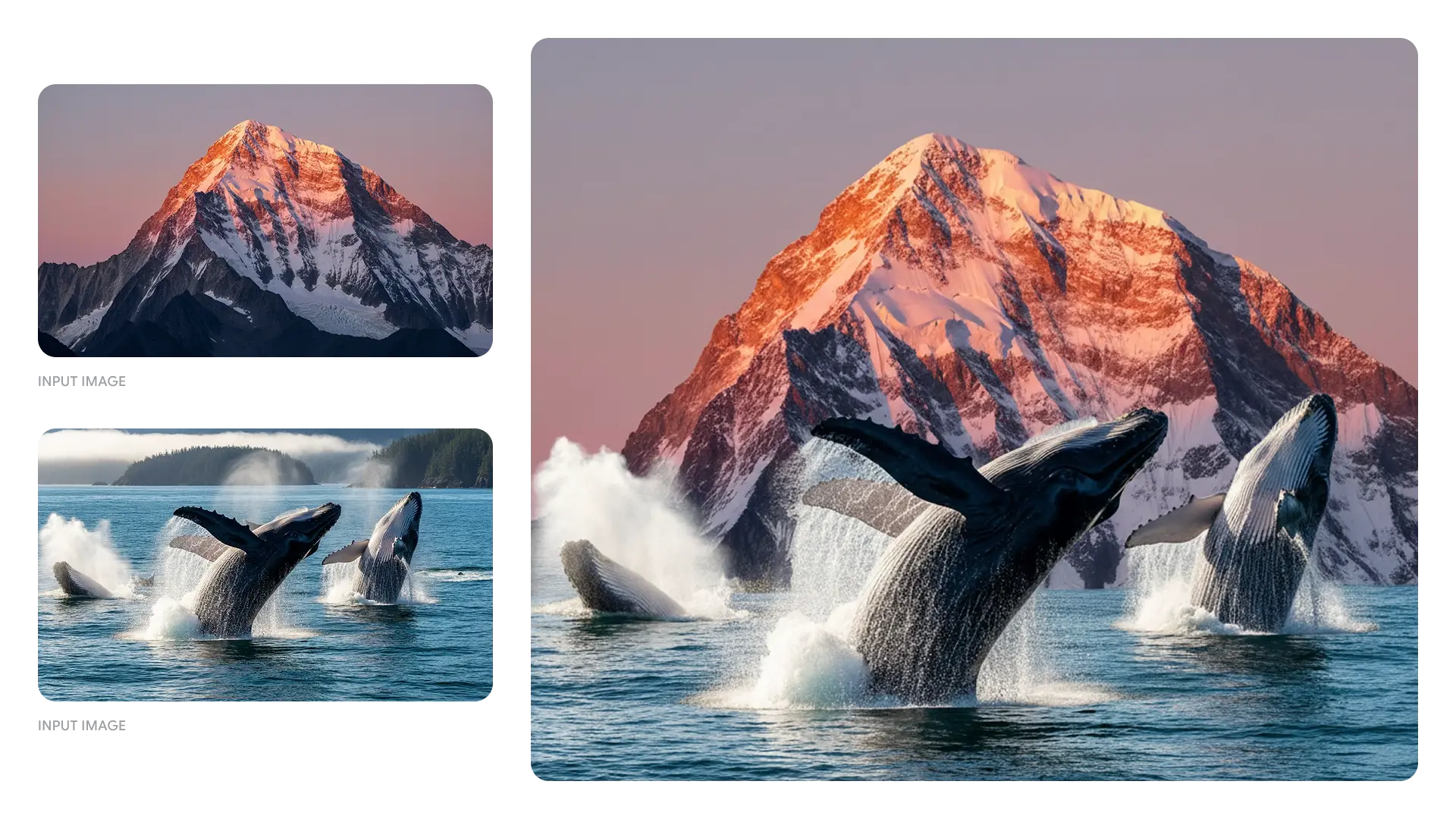
Multi-Image Fusion with Gemini 2.5 Flash Image
The Gemini 2.5 Flash Image Preview enables multi-image fusion, letting you merge several images into a single, seamless composition. From marketing visuals to creative art, this AI image generation feature ensures photorealistic blending and smooth transitions between objects, textures, and styles.
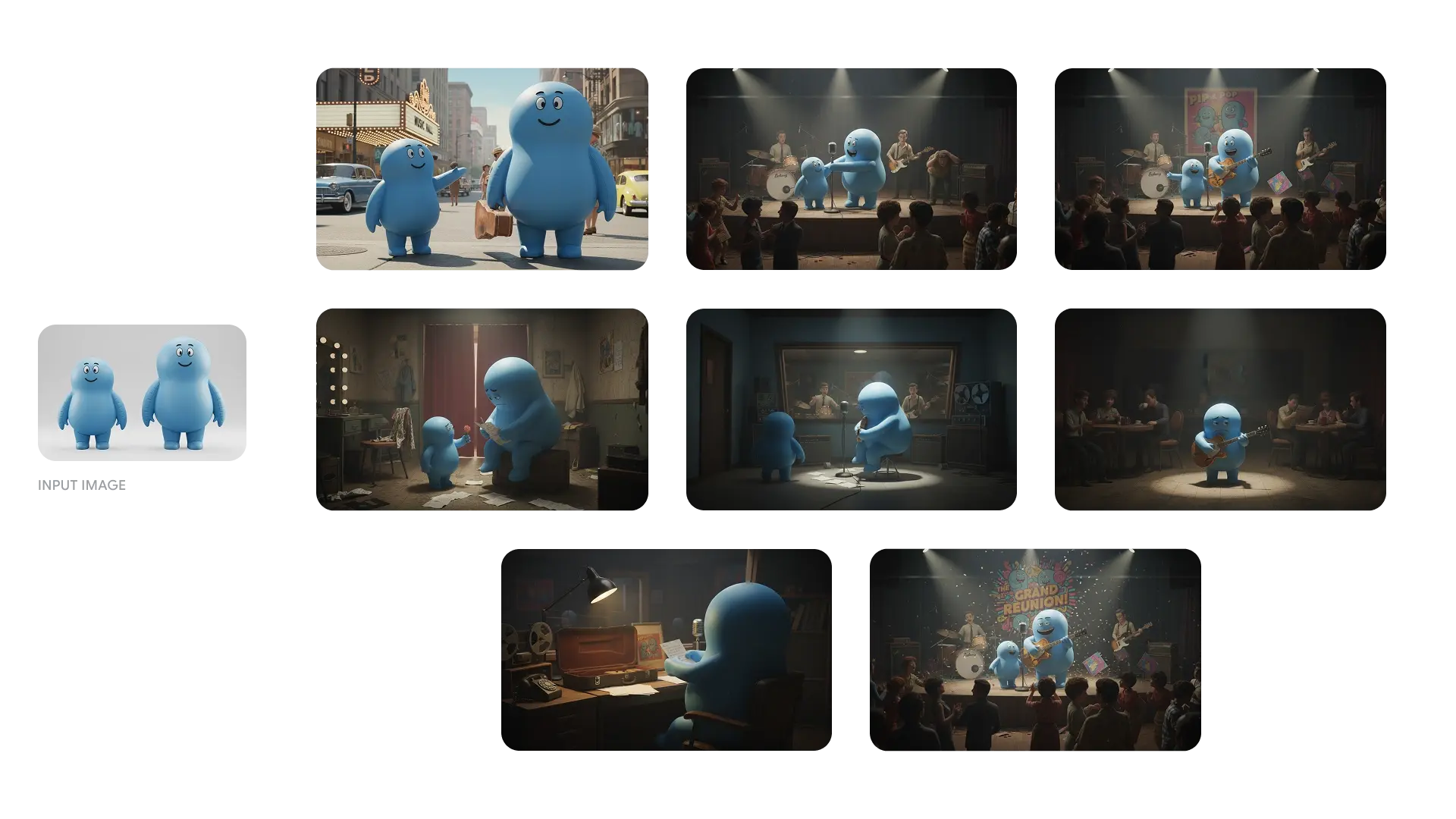
Character Consistency in Nano Banana
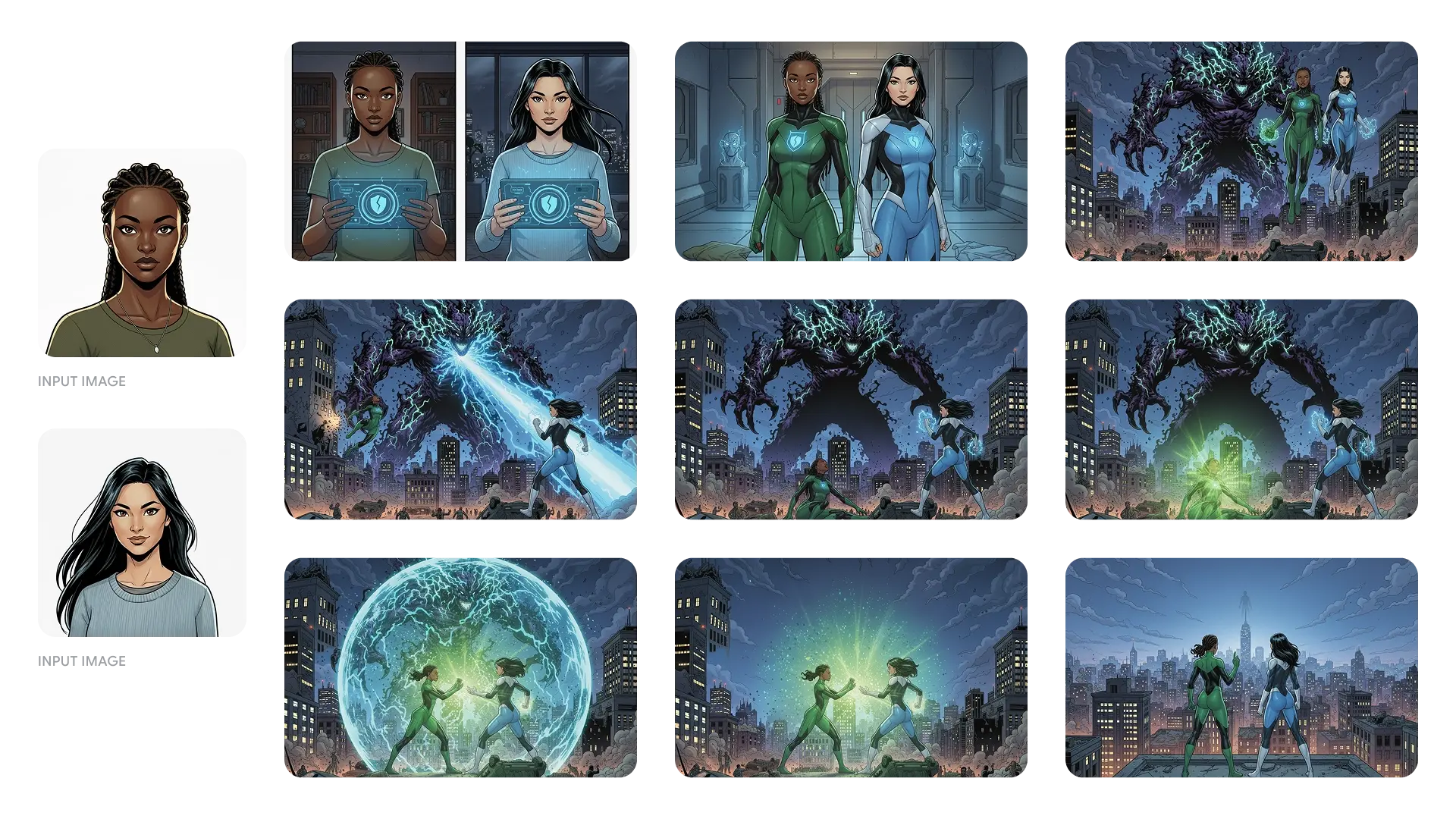
A highlight of the nano banana model is its ability to preserve character consistency across multiple edits. Whether you’re creating product catalogs, visual storytelling sequences, or brand assets, the model maintains identity across poses, outfits, and environments—an essential upgrade from earlier image editors.
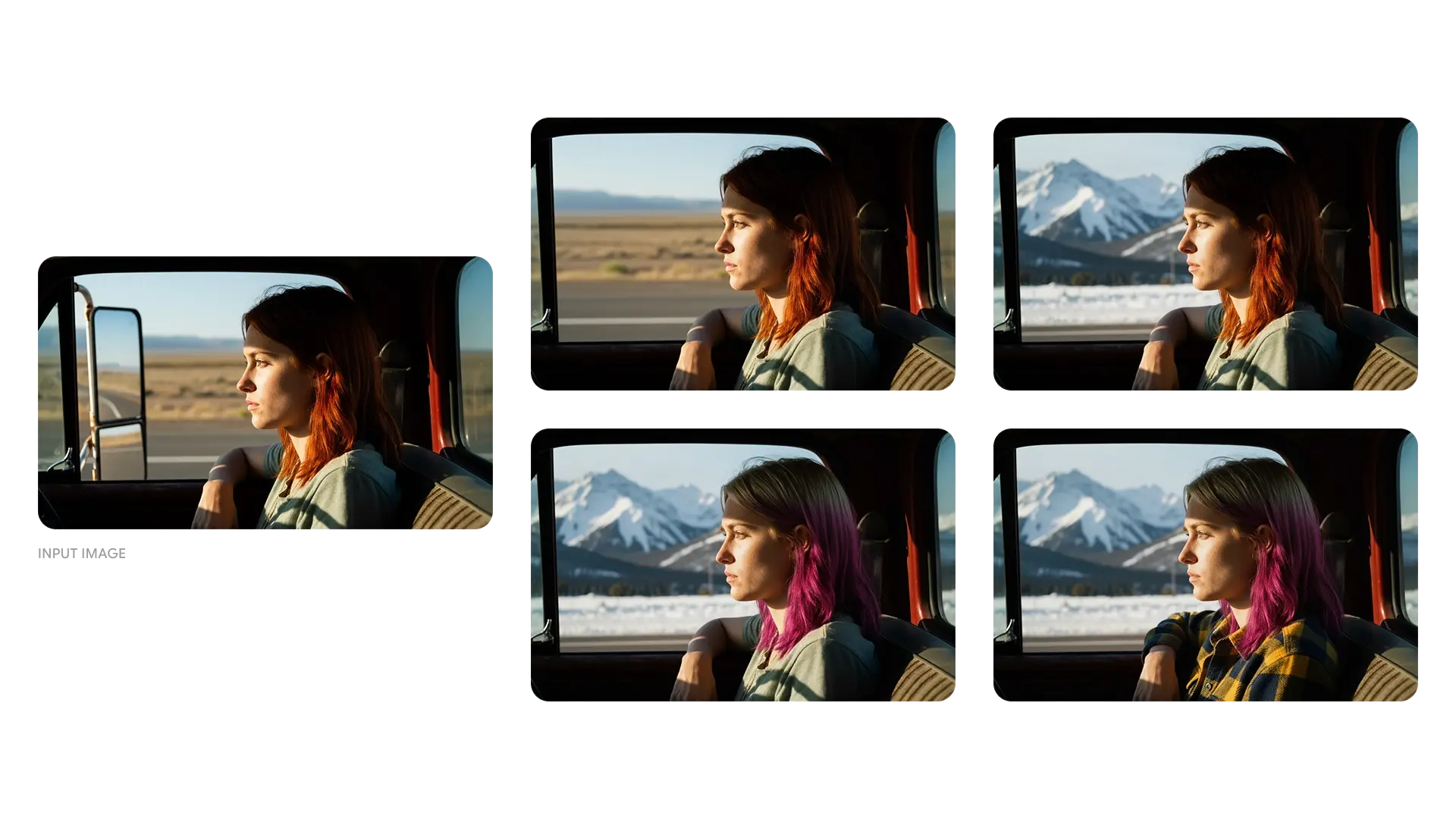
Natural Language Editing with Google Gemini 2.5 Flash Image
With the Google Gemini 2.5 Flash Image Preview, you can perform image editing using simple text instructions. Prompts like “change background to snowy mountains” or “make hair color red” are executed with precision, eliminating the need for manual editing tools. This makes it a user-friendly yet powerful AI image editor.
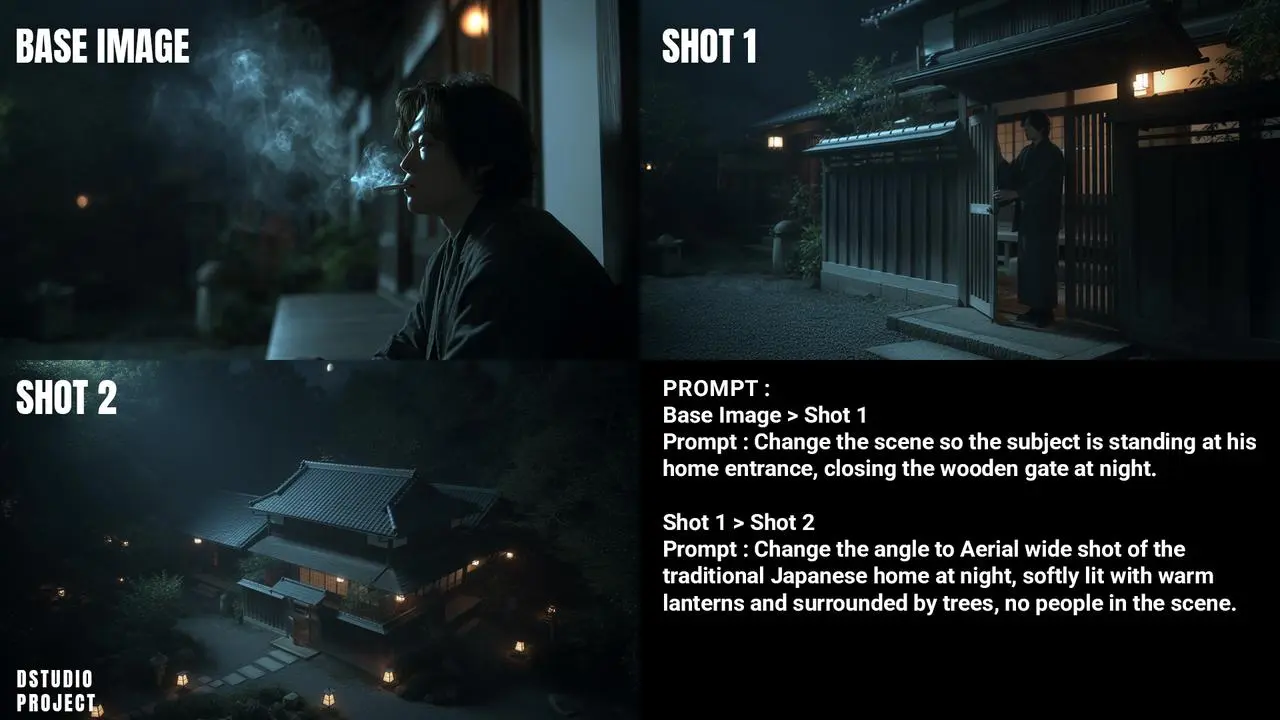
World Knowledge Integration Powered by Google DeepMind
The Gemini 2.5 Flash Image Preview incorporates Google DeepMind’s world knowledge, enabling visuals that follow real-world logic. It can represent cause-and-effect scenarios, understand spatial layouts, and align images with semantic context—pushing text-to-image generation beyond aesthetic creativity into intelligent, context-aware outputs.
High Speed & Low Latency in Google Gemini 2.5 Flash Image Preview
The Google Gemini 2.5 Flash Image Preview sets new performance benchmarks with faster throughput and reduced latency compared to Gemini 2.0 Flash Image and other models like Flux Kontext. Developers and enterprises benefit from scalable, cost-efficient AI image generation that delivers sharper visuals at production speed.
How Google Gemini 2.5 Flash Image Preview (Nano Banana) Outperforms Other AI Models in Editing & Generation
Independent benchmarks on LMArena and GenAI-Bench highlight how the Google Gemini 2.5 Flash Image Preview (Nano Banana) outperforms both earlier Gemini models and competitors like ChatGPT-4o, Flux Kontext, and Qwen Image Edit. It achieves the highest overall preference scores in both text-to-image generation and image editing, while balancing speed and quality.
| Dimension | Gemini 2.5 Flash Image Preview (Nano Banana) | Gemini 2.0 Flash Image | ChatGPT-4o / GPT Image 1 | Flux Kontext \[max] | Qwen Image Edit |
|---|---|---|---|---|---|
| Overall Preference | 1150–1350 ELO (highest) across gen & editing | ~990–1080 ELO (lowest) | ~1120–1180 ELO | ~1050–1170 ELO | ~1150 ELO |
| Visual Fidelity | Photorealistic, context-aware | Limited detail, flatter output | Good, less consistent | Realistic, occasional drift | Realistic but unstable |
| Character Consistency | Strongest – maintains identity across edits | Weak – frequent drift | Moderate – sometimes drifts | Style drift common | Inconsistent faces |
| Editing Precision | Fine local edits via natural language | Basic edits only | Good but less precise | Broad edits, less nuanced | Limited precision |
| World Knowledge | Deep integration with Google DeepMind reasoning | Limited | Moderate | Weak | Weak |
| Text Rendering | 61.1% substring match (balanced) | 72.7% (best) | 71.80% | 59.70% | 68.50% |
| Speed / Latency | ~120k px/sec (fast & balanced) | ~175k px/sec (fastest) | ~30k px/sec (slower) | ~70k px/sec (moderate) | ~90k px/sec (fast, less accurate) |
How to Use Nano Banana Free on Bylo.ai
The Google Gemini 2.5 Flash Image Preview, also known as Nano Banana, is integrated into Bylo.ai so you can start creating in minutes. Here’s a simple three-step guide to get the most out of this advanced AI image editor.
Step 1: Visit the Gemini 2.5 Flash Image Preview Page
Go to Bylo.ai/features/gemini-2.5-flash-image-preview. This feature page lets you access the model instantly, with no login required for the free preview.
Step 2: Enter a Prompt or Upload an Image
Type a text-to-image prompt such as “a dreamy watercolor landscape with mountains” or upload a reference photo for multi-image fusion. The model understands both text and visual inputs, making it flexible for creative experimentation.
Step 3: Preview, Edit, and Download Your Image
Within seconds, the Gemini 2.5 Flash Image Preview (Nano Banana) will generate your result. You can refine it with simple edits like “add snow,” “change background,” or “adjust lighting.” Once satisfied, download your polished image directly from Bylo.ai.
Use Cases of Google Gemini 2.5 Flash Image Preview on Bylo.ai
Storytelling with Gemini 2.5 Flash Image Preview Text-to-Image
Create narrative artwork using the Google Gemini 2.5 Flash Image Preview. With Nano Banana’s character consistency, you can generate multiple images where characters remain visually stable—perfect for comics, illustrated stories, or visual storytelling projects.
Quick Photo Editing with Gemini 2.5 Flash Image Preview
Fix and enhance photos instantly using AI image editing. The Gemini 2.5 Flash Image Preview allows simple commands like “remove background” or “adjust lighting” to deliver clean, polished results without traditional editing software.
Multi-Image Fusion Using Nano Banana
Combine several photos into a seamless new composition with Nano Banana. From surreal landscapes to creative product mashups, the Gemini 2.5 Flash Image Preview makes multi-image fusion effortless and visually consistent.
Style Transformation with Google Gemini 2.5 Flash Image Preview
Experiment with different artistic directions using the Gemini 2.5 Flash Image Preview free mode. Transform a normal photo into a sketch, painting, or cinematic scene and explore creative AI image editing without technical barriers.
How to Get the Best Results with Google Gemini 2.5 Flash Image Preview
To get the best results with the Google Gemini 2.5 Flash Image Preview (Nano Banana) on Bylo.ai, follow these detailed tips. They will help you improve the quality of AI image generation and image editing while exploring the full creative potential of the tool.
Write Clear and Detailed Prompts
When using text-to-image generation, the clarity of your description directly affects the outcome. Instead of entering a vague prompt like “a mountain view”, be specific: “a snow-capped mountain at sunrise with a calm lake in front”. The Gemini 2.5 Flash Image Preview can capture fine details, lighting, and atmosphere when guided with precise language.
Use Nano Banana for Character Consistency
If your project involves the same subject across multiple images, rely on Nano Banana’s ability to maintain character consistency. For example, a character generated in one scene can reappear in another with the same facial features and style. This feature is particularly useful for creating sequential illustrations, product catalogs, or branded visuals where continuity matters.
Leverage Multi-Image Fusion for Creative Results
The Gemini 2.5 Flash Image Preview supports multi-image fusion, allowing you to upload more than one image and blend them into a unified design. You might combine a portrait with a fantasy landscape, or merge objects from different photos into one realistic composition. This feature is ideal for creating unique artistic designs that would be difficult with traditional editing.
Experiment with Styles and Transformations
The model can adapt images into different artistic or photographic styles. Try asking it to restyle a modern photo into a vintage painting, transform a landscape into watercolor, or apply cinematic lighting for a dramatic effect. By experimenting with style transformations, you can discover new creative directions and expand the range of visuals generated with Gemini 2.5 Flash Image Preview.
FAQs About Gemini 2.5 Flash Image Preview
What is Google Gemini 2.5 Flash Image Preview (Nano Banana)?
The Google Gemini 2.5 Flash Image Preview, also known as Nano Banana, is Google DeepMind’s advanced model for AI image generation and editing, combining text-to-image creation, precise image editing, and multi-image fusion in one tool.
How does Nano Banana differ from Gemini 2.0 Flash Image?
Nano Banana offers higher visual fidelity, stronger editing precision, and consistent character rendering compared with Gemini 2.0 Flash Image, while still maintaining the fast performance and low latency of the Flash family.
Can I use Gemini 2.5 Flash Image Preview free on Bylo.ai?
Yes, the Gemini 2.5 Flash Image Preview mode on Bylo.ai lets users test AI image generation and image editing instantly, without login or setup, making it easy to experiment with prompts and images.
What types of AI image editing are possible with Nano Banana?
Nano Banana supports advanced AI image editing, including background replacement, object removal, lighting adjustments, color changes, and multi-image fusion, making it a versatile tool for creative visual design.
Why is Nano Banana important for character consistency?
Nano Banana ensures stable character consistency, keeping subjects recognizable across different prompts, scenes, and styles. This makes it reliable for projects that require continuity, such as storytelling or design mockups.
Does Google Gemini 2.5 Flash Image Preview support multi-image fusion?
Yes, the Google Gemini 2.5 Flash Image Preview enables multi-image fusion, allowing multiple references to be combined into one seamless image, perfect for creating complex or artistic compositions.
How fast is Nano Banana compared with other AI image models?
Nano Banana achieves around 120k pixels/sec throughput with low latency, making it faster than many other AI image models, while preserving high quality and strong text-to-image alignment.
Why use Gemini 2.5 Flash Image Preview (Nano Banana) on Bylo.ai?
The Gemini 2.5 Flash Image Preview (Nano Banana) on Bylo.ai offers direct access, no-login free usage, and fast downloads, making it the most convenient way to explore advanced AI image generation and editing.